TV Remote Control - Smart TV
Guanling InteractiveTools
4.2111.00 Reviews
- Version
- 1.3.6
- Installs
- 1.00M
- Age Rating
- Everyone
Screenshots
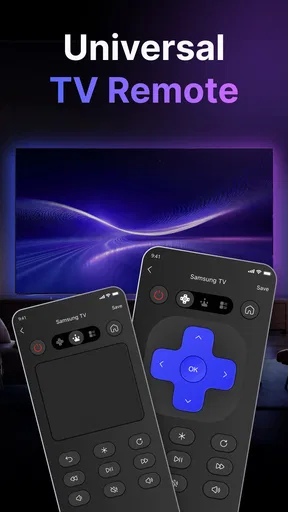
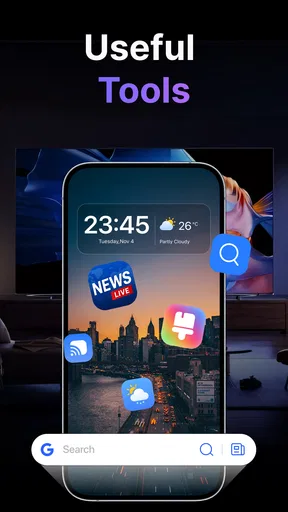
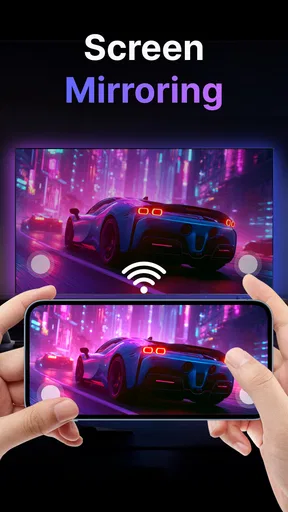
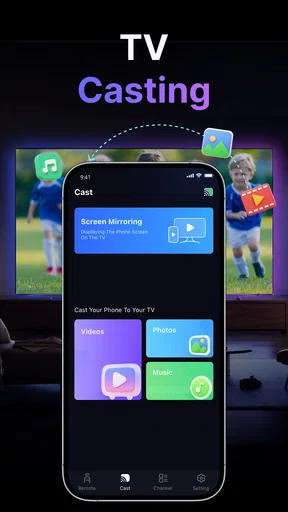
Our Review of TV Remote Control - Smart TV
 Analysis by Appyee
I have always found TV remotes strangely easy to lose. They disappear between sofa cushions, get left in another room, or run out of battery just when I want to pause something. TV Remote Control - Smart TV takes a simple approach to that problem: it turns a compatible phone into a remote for a Smart TV. After using it as a tools app, I see the appeal clearly, although its value depends heavily on whether it works smoothly with your particular television and whether you are comfortable with its paid extras.
The app is developed by Guanling Interactive and is aimed at everyday control rather than entertainment or media discovery. Its store summary presents the core idea plainly, and that simplicity is important: this is not trying to replace a streaming service or become a complete smart-home hub. It is meant to give you remote-style control from a device you already carry.
How the app feels in everyday use
The first useful change is convenience. A phone is usually nearby, while a physical remote may not be. That makes this kind of app especially practical when somebody has taken the remote to another room, when the batteries are flat, or when you want to make a quick adjustment without searching around the furniture.
I also like the flexibility of a phone-based controller for shared spaces. In a living room, the person who wants to pause or adjust the TV does not necessarily need to interrupt someone else to ask where the remote is. In a bedroom, the phone can be more convenient than keeping a second physical controller on the nightstand.
That said, a phone remote is not automatically better than a physical one. A traditional remote has real buttons that I can find by touch without looking down. With an app, I need to wake the phone, open the controller, and use an on-screen layout. For a quick volume change, that extra step can be more noticeable than expected.
The experience therefore depends on the kind of control you need. Occasional adjustments suit the app well. Long viewing sessions that involve constant channel changes, repeated navigation, or blind button presses may still feel more natural with the original remote.
What I would check before relying on it
Compatibility is the first practical question. A Smart TV remote app only becomes useful when the phone and television can communicate properly. Before treating it as a replacement, I would install it while the original remote is still available, test the basic controls, and make sure the TV responds consistently from the places where I normally sit.
This simple test avoids a common mistake: assuming that every Smart TV behaves the same way. Different television systems can handle phone-based control differently, and a connection that works in one home may not behave identically in another. The app should be treated as a convenient controller to test, not as an automatic guarantee that every TV will respond perfectly.
A second check is whether the phone is suitable for the app. The listed minimum operating system is Android 11, so older devices may not be eligible. That requirement is reasonable for a modern tool, but it matters if you are hoping to turn an older spare phone into a permanent remote.
I would also keep the original controller nearby during the first setup. If the app connects immediately and the controls behave as expected, it can become a useful backup. If it does not, the physical remote remains available while I troubleshoot instead of leaving the TV difficult to operate.
Free access and the paid side
The app is free to install, which makes trying it relatively straightforward. That gives users a chance to see whether the connection and control experience suit their television before committing money. For a tool whose usefulness depends on compatibility, this trial opportunity is important.
There are also in-app purchases priced from $3.99 to $94.99 per item. That is a wide range, so I would not judge the app’s value from the free label alone. The sensible approach is to use the no-cost access first, understand what is available in that version, and only consider a purchase if the app has already proved dependable in your home.
This distinction matters because a remote app has a very specific value ceiling. If it only saves me from finding a remote occasionally, a high-priced purchase would be difficult to justify. If it becomes a reliable controller for a television that is used every day, paid access may feel more reasonable, but only when the added value is clear at the point of purchase.
I would pay particular attention to whether the free experience already covers the controls I need. Basic volume, navigation, and playback may be enough for one user, while another may need a broader control layout. Since purchase prices vary considerably, I would avoid assuming that the most expensive option is necessary or that it automatically changes the app into a better remote.
My cost rule is simple: test the free experience first, then pay only for a specific improvement you will use repeatedly. That keeps the decision tied to actual value rather than the excitement of having a new remote on the phone.
Useful situations beyond the obvious
The clearest everyday scenario is a missing remote during a film or television programme. I can use the phone to pause the screen, adjust the sound, or resume playback while the physical remote is still hiding somewhere in the room. That is not a dramatic feature, but it solves a genuinely annoying household problem.
A less obvious use is keeping a backup phone ready for a guest room or shared TV. An older compatible device can remain near the television, giving visitors a straightforward controller without handing over the main household remote. The minimum operating system requirement means the spare phone must still be modern enough, so this approach is not suitable for every retired handset.
The app can also be useful during a battery problem. Physical remotes often fail gradually, with missed presses and unreliable response before the batteries are replaced. A phone controller can bridge that gap. I would still replace the batteries rather than treating the app as a permanent solution automatically, but having a working alternative prevents a small problem from becoming a viewing interruption.
Another practical workflow is using the app when the original remote is awkward to locate in low light. Instead of feeling around for small buttons, I can use the phone screen. The trade-off is that the phone itself must be awake and within reach, so this is most helpful when it is already beside me.
Where it can save time, and where it cannot
A dedicated remote is designed around one task, while a phone is a multi-purpose device. The phone wins when I want one object that is already in my hand to handle a quick TV command. It also avoids the clutter of keeping several remotes together for different devices.
The physical controller wins in immediacy. I can pick it up without unlocking anything, and I can often operate it by feel. It also does not compete with notifications, calls, low battery warnings, or other phone activity. If I am watching something and want the least distracting control method, the original remote may remain better.
This app should not be confused with a full universal home-control system. Its purpose is narrower: controlling a Smart TV from a phone. If I want to operate lighting, speakers, streaming boxes, or multiple household devices through one carefully organised system, a broader smart-home solution may be a better fit. Choosing this app makes sense when TV control is the actual problem.
It is also not the right answer for someone who dislikes using a touchscreen for basic commands. Some people prefer tactile buttons, especially children, older relatives, or anyone who wants to operate the TV without looking down. In those cases, a physical remote with large, familiar controls can provide a better experience even if the phone app is technically capable.
Small habits that make the experience better
I would keep the phone reasonably charged if I planned to use it as a regular remote. Turning a phone into the only controller is convenient until the phone battery is empty. The app works best as either a dependable daily tool with a charging routine or as a ready backup, rather than as something I remember only after the original remote disappears.
It is also worth choosing a consistent place for the phone when watching TV. A small charging spot near the sofa or bedside table reduces the search problem that the app is supposed to solve. This sounds basic, but it turns the app from an emergency substitute into a predictable part of the viewing setup.
When troubleshooting, I would start with the simplest questions: is the phone connected as expected, is the television ready to receive control, and does the app respond to basic commands? Testing one action at a time is more useful than assuming every control has failed. If only a particular command behaves strangely, the original remote can help identify whether the issue is app-specific or related to the TV itself.
I would also avoid making a purchase before testing the app from the usual viewing position. A controller can seem useful beside the television but less convenient from a sofa or bed. Real distance and room layout matter more than a quick setup test at close range.
What the adoption figures suggest about interest
The app has reached more than one million installs and holds a 4.2 average from about 6,200 ratings. Those figures suggest that the idea has broad appeal and that many users find the basic concept worthwhile. They do not remove the need for a compatibility test, because a large user base cannot guarantee the same result with every television model or home network.
Its Everyone age rating also makes the app approachable for a household tool. I can imagine it being used by different members of a family without the product being aimed at a narrow age group. Still, ease of use depends more on the on-screen controls and the user’s comfort with phones than on the age label itself.
The current version is 1.3.6, and the app was released on December 26, 2025. Those details place it firmly in the category of a relatively recent tool, which may be reassuring to people who want a current phone-based option. I would nevertheless judge it by the actual connection and control response on my TV rather than by version information alone.
Who will get the most value
I think the strongest audience is someone who regularly misplaces a remote, wants a backup controller, or prefers carrying fewer separate devices. It is also a sensible choice for a household with a compatible Smart TV and several people who already keep their phones close while watching content.
The free installation makes it easy to evaluate without immediately committing to a purchase. That is especially useful for renters, students, guest rooms, and anyone who wants a practical solution for one television rather than a large home-control setup.
It may also suit people who are comfortable solving small technology problems themselves. Testing compatibility, keeping the phone charged, and deciding whether paid access is worthwhile are all part of getting value from the app. Users who want everything to work exactly like a physical remote without any setup or adjustment may find the experience less satisfying.
I would skip it if my original remote already works perfectly and I have no interest in using a phone for TV control. I would also be cautious if my phone runs an operating system older than Android 11, if I need tactile buttons, or if I am looking for one app to control an entire collection of smart-home equipment.
My recommendation after weighing the trade-offs
TV Remote Control - Smart TV is a useful convenience app rather than an essential upgrade. Its best quality is practical: it gives me a second way to control the television using a device that is usually close by. That can be enough to justify keeping it installed, particularly when the physical remote is frequently lost or shared between people.
The free access makes the decision low-risk at first, but the in-app purchase range means I would be careful about spending. I would not buy anything until the app has connected reliably, handled the commands I actually use, and shown a clear reason to pay. A free controller that works when needed can already deliver the main benefit.
My verdict is to try it if you want a TV backup or prefer phone-based control, but keep the original remote available until the app proves itself in your home. For daily convenience, it can be a smart little tool. For tactile control, broad smart-home management, or guaranteed compatibility without testing, a different option will probably serve you better.
In short, I would recommend installing it as an experiment, not as an automatic replacement. If it responds well to your Smart TV and fits your habits, it can remove one of those small household frustrations that appears again and again. If it adds more steps than it saves, there is no strong reason to force the switch.
Verdict
Strengths of TV Remote Control - Smart TV
- Works with many popular Smart TV brands.
- Simple interface makes remote functions easy to find.
- Useful backup when the physical remote is missing.
- Quick access to volume, channels, and navigation controls.
- Can reduce clutter by replacing several remotes with one app.
Limitations of TV Remote Control - Smart TV
- Requires your phone and TV to use the same Wi-Fi network.
- Compatibility may vary between TV models and manufacturers.
- Some features may be limited without in-app purchases.
- Ads can interrupt use and make the interface feel less clean.
- It may not work with older TVs or TVs without network support.
Similar Picks in This Category
View All
Google LLC4.0

Gboard - the Google Keyboard
Google LLC4.5

Google Play services
Google LLC4.3

Google Play Store
Google LLC4.9

Files by Google
Google LLC4.5

SHAREit: Transfer, Share Files
Smart Media4U Technology Pte.Ltd.4.3
Frequently Asked Questions
What is TV Remote Control - Smart TV, and how does it work?
TV Remote Control - Smart TV is a mobile application designed to turn a compatible Android or iPhone into a remote control for supported televisions. After installing the app, your phone and TV generally need to be connected to the same Wi-Fi network. The app then searches for available devices, allowing you to change channels, adjust volume, navigate menus, and control playback from your phone.
Which televisions are compatible with TV Remote Control - Smart TV?
Compatibility depends on the specific version of the app and the television manufacturer. Most applications of this type support popular Smart TV brands that offer network-based remote-control features, but not every model is guaranteed to work. Before downloading, check the app’s description and supported-device list. Older televisions without Smart TV or network connectivity may require an infrared-enabled phone or an additional hardware accessory.
Does my phone need an infrared sensor to use this TV remote app?
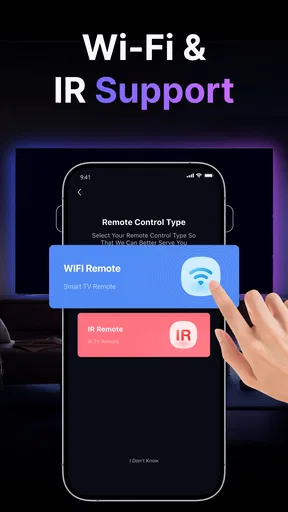
Not necessarily. When the app controls a Smart TV over Wi-Fi, the phone usually communicates with the television through the local network, so an infrared sensor is not required. However, some remote applications also offer infrared control, which only works on phones equipped with an IR blaster. If your phone lacks infrared and your TV is not connected to Wi-Fi, the app may not be able to operate it.
Is TV Remote Control - Smart TV free to download and use?
The application may be available as a free download, but certain features can depend on advertisements, in-app purchases, or a premium subscription. Basic functions such as volume and channel control may be accessible without payment, while advanced options could require an upgrade. Review the store listing carefully before installing, especially if you want an ad-free experience or unrestricted access to every remote-control feature.
What should I do if the app cannot find or connect to my television?
First, confirm that your phone and Smart TV are connected to the same Wi-Fi network rather than separate guest or mobile-data connections. Turn the television on, restart both devices, and allow the app to access nearby devices if requested. It can also help to disable a VPN temporarily and update the app and TV software. If connection problems continue, your TV model may not be supported.
